
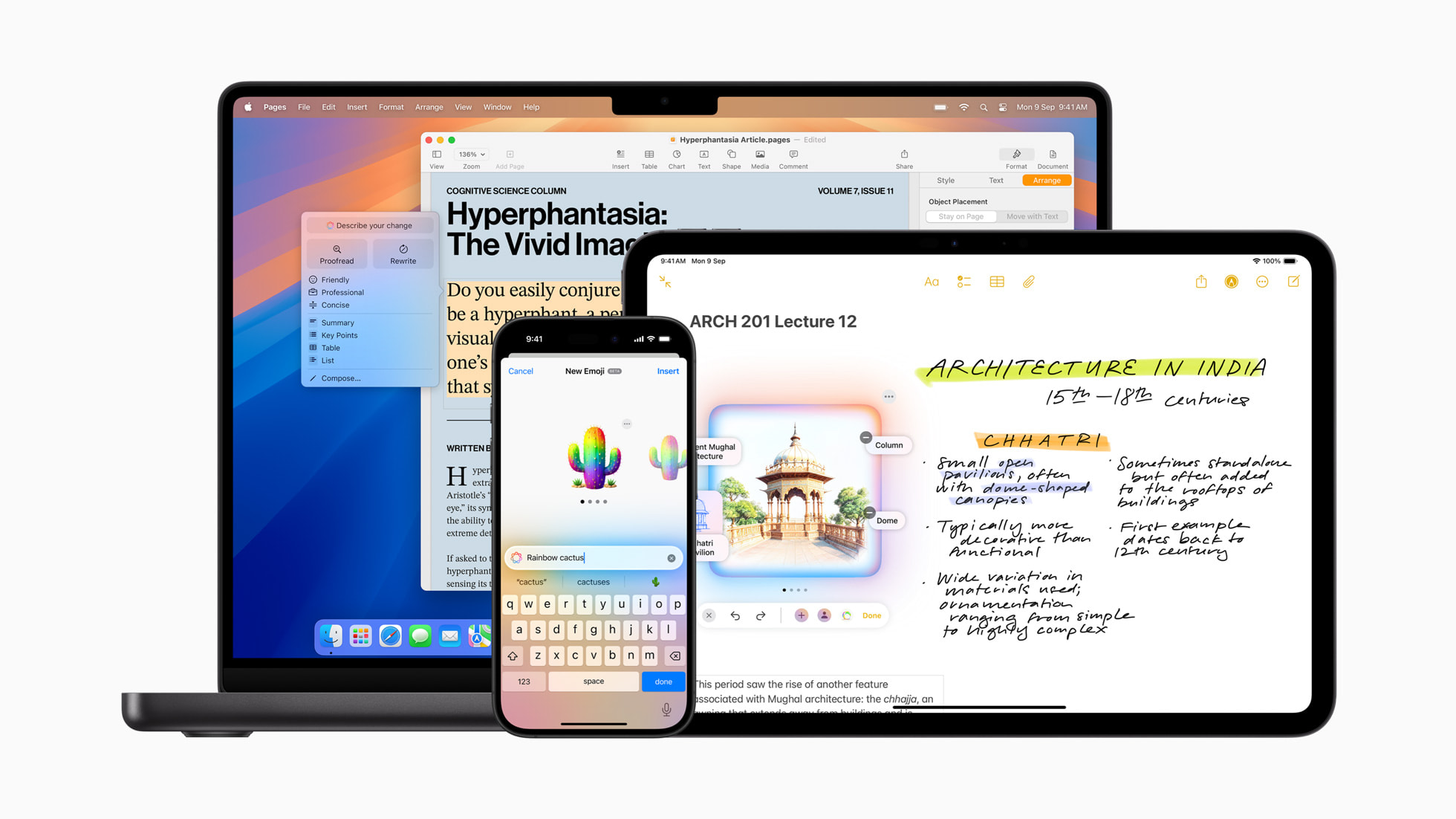
Apple is expanding the reach of Apple Intelligence, its groundbreaking personal intelligence system, to a wider global audience. This expansion introduces support for a plethora of new languages, including localized English for Singapore and India, alongside French, German, Italian, Portuguese (Brazil), Spanish, Japanese, Korean, and Simplified Chinese.
With the latest updates to iOS 18.4, iPadOS 18.4, and macOS Sequoia 15.4, users can now harness the power of AI to streamline their daily communication and creative tasks. The Writing Tools feature empowers users to refine their text through rewriting, proofreading, and summarization. Smart Reply offers quick, context-aware responses with a single tap. For multilingual users, these features intelligently adapt to the language being used. Unleash your inner artist with Image Playground, create custom emojis with Genmoji, and effortlessly remove distractions from your photos with Clean Up. Additionally, Visual Intelligence allows iPhone users to gain a deeper understanding of their surroundings. Integration with ChatGPT in Siri and Writing Tools provides access to expert knowledge, simplifying complex tasks without app-switching.
Apple Intelligence prioritizes user privacy, utilizing on-device processing for many of its functions. For tasks requiring larger models, Private Cloud Compute extends the iPhone’s robust security into the cloud.
Refine Your Writing with Powerful Tools
Integrated seamlessly across iOS, iPadOS, and macOS, Writing Tools elevate your communication across various platforms, including Mail, Messages, Notes, Pages, and third-party apps.
The Rewrite feature offers multiple versions of your text, allowing you to tailor the tone – professional, concise, or friendly – to your specific audience and purpose. Proofread meticulously checks grammar, word choice, and sentence structure, providing clear explanations for suggested edits. Users can efficiently summarize text into digestible paragraphs, bullet points, tables, or lists.
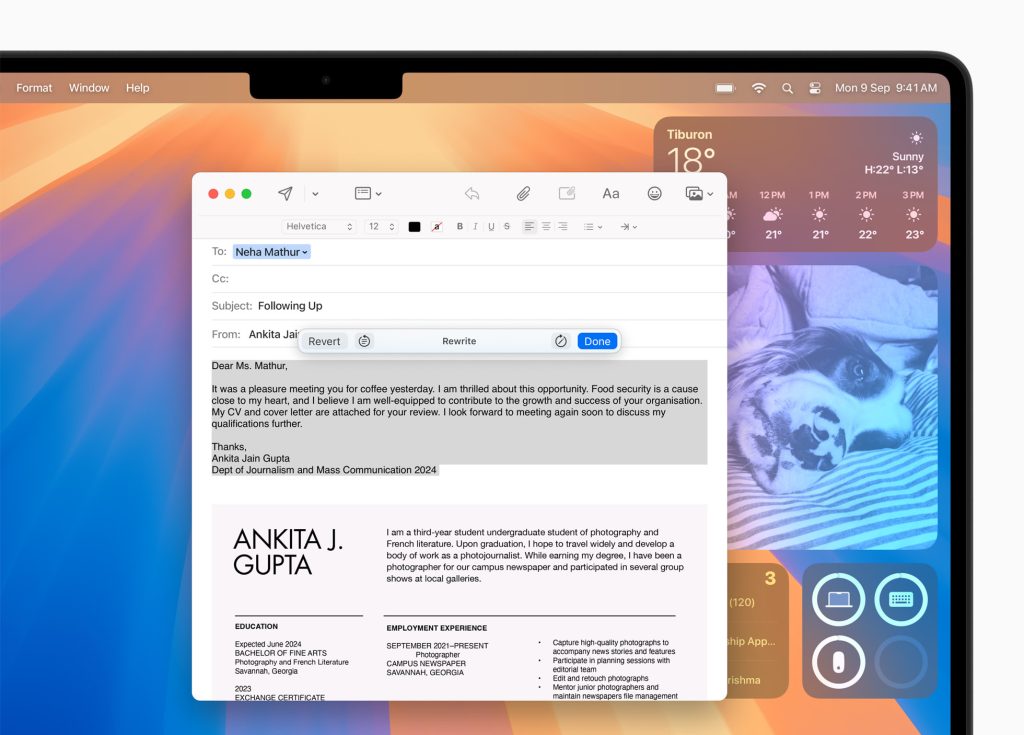
Beyond simply rewriting, proofreading, and summarizing, Apple Intelligence now lets you directly guide your writing changes with the “Describe Your Change” feature. This powerful option gives you unparalleled control and flexibility to refine your text. Want to infuse your resume with dynamic action verbs? Or perhaps transform a dinner party invitation into a whimsical poem? Simply describe the desired change, and Apple Intelligence will work its magic, adapting your writing to match your vision.
Smarter Photos: Effortlessly Clean Up and Rediscover Memories
The Photos app just got a whole lot smarter, offering intuitive new features that make managing and enjoying your memories easier than ever. Natural language search lets you find specific photos and videos by simply describing what you’re looking for. Need to find “Maya dancing in a red dress”? Just type it in! This feature works seamlessly with videos, allowing you to jump directly to specific segments. Smart search suggestions also help you quickly refine your queries.
And for those moments when unwanted distractions creep into your photos, the Clean Up tool provides a simple and effective solution. Effortlessly remove distracting objects or people, ensuring your photos capture the moment exactly as you intended.






Leave a Reply